


We may earn a commission through these partner links. Demo funds are virtual; access and country eligibility depend on the platform terms. Disclosure
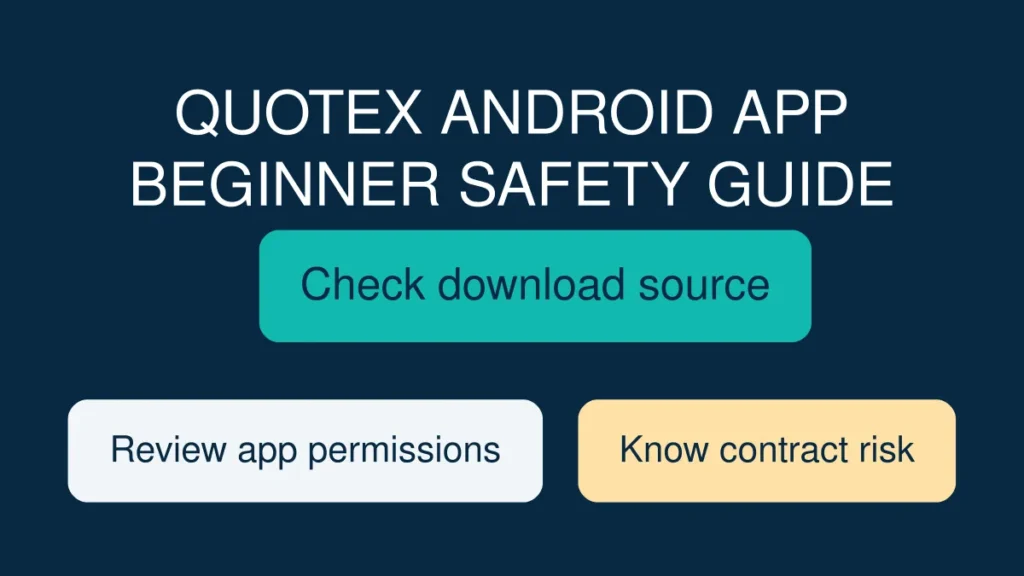
A Quotex Android app search can lead to real software, old screenshots, promotional download pages or potentially unsafe files. Before installing anything, learn how to check the source, understand the financial contract, protect your phone and verify applicable country rules.
This is an independently written educational checklist, not a tested app review. We have not confirmed the current app publisher, download distribution, product eligibility or authorisation for every country. No statement here promises investment returns or encourages a deposit.
Start by checking what you are actually downloading
If you search for a Quotex Android app, you may see download pages, social-media referrals, APK files, videos and links that claim to offer a “latest version.” The first job is not installing anything. It is identifying the service’s current official distribution channel, the publisher responsible for the software and the exact web address in the operator’s current terms. Do not assume that a video creator’s description or an APK forwarded in a messaging group comes from the real publisher. A copied logo or similar app name is easy to reproduce. If you cannot independently verify the origin of a file, do not install it. This page does not provide a download file, a sign-up link or an assurance that an app is available in your country.
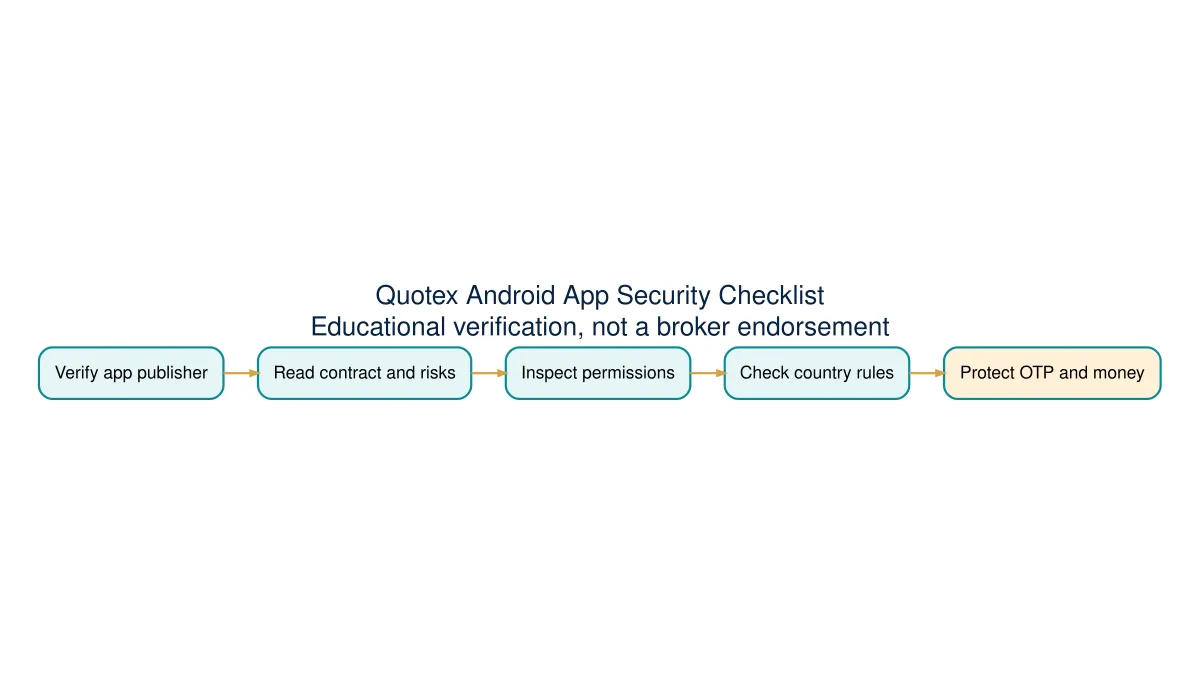
A five-point source verification checklist
Write down the official domain published by the service, not one supplied by a commission-based promoter. Confirm the app publisher through a recognised app distribution source where applicable, read the permission list and look for an independent way to contact support. Finally, check the named contracting company and the type of financial contract being marketed. These are separate checks: an authentic app can still present a high-risk financial product, while a fraudulent app can copy a real company’s branding. A search result’s top position is not a financial licence. Also remember that app listings can change over time, so take a note of the date you performed the check.
What Android’s Play Protect can and cannot do
Google says Play Protect checks apps for potentially harmful behaviour, including apps obtained outside Google Play, and can warn, deactivate or remove suspicious software. Google recommends keeping that protection enabled. This is a helpful device-security layer, not a regulator’s approval of an investment or a guarantee that every app is safe. An app can be technically free of detected malware while offering unsuitable, unlawful or misleading financial contracts. If Android shows a security warning about an installation package, investigate rather than turning off protections because a Telegram channel tells you to. Keep operating-system security updates current and avoid modified applications promoted as unlocking higher payouts.
Understand the product before examining the charts
The trading screen may show a currency pair, commodity or digital-asset reference price. That visual presentation does not establish that the user owns the underlying asset. A binary-style fixed-outcome contract usually depends on whether a defined event occurs at expiry, with a predetermined payment after a successful outcome and the possibility of losing the entire amount at risk after an unsuccessful one. Investor.gov explains this difference between binary options and conventional ownership of the referenced security. Read the actual product terms, contract type, reference price and expiry rather than inferring them from the colour of trading buttons. The right question is “what legal obligation does this click create?” not “which arrow looks attractive?”
Payout percentages are not prediction accuracy
A common beginner error is treating an 80% profit payout as an 80% chance of a correct prediction. Those are unrelated quantities. In a simplified 100-unit example, a successful result produces 80 units of profit while a failure loses 100. Five wins would add 400 units; five losses would remove 500. The total after ten equal-stake examples is minus 100 units before costs, despite a 50% win rate. The simple break-even threshold under those assumptions is 100 / (100 + 80), about 55.56%. That does not predict how often anyone can be right. Different contract conditions or partial refunds would require different maths. Promotional payout badges are not a substitute for a full contract explanation.
How to read a mobile candle without inventing a signal
Candlesticks summarise opening, highest, lowest and closing prices in one interval. The body connects open and close; upper and lower wicks describe the price extremes. A running candle can change shape before the interval ends. A green candle is a description of its opening and closing prices, not a promise that the next one will rise. Also check whether the chart is a one-minute, five-minute or hourly view: identical price movement can produce different visual patterns when compressed into different intervals. A broker-specific OTC feed may differ from a public exchange or another platform’s reference price. Never treat a screenshot taken from a different data feed as an independently verified trading forecast.
What a demo mode can teach without proving
Where a platform makes a virtual practice environment available, it can help people learn where controls and expiry labels appear without treating a virtual balance as withdrawable funds. A simulated win is not an audited return. It does not prove that a withdrawal from a live account will succeed, that customer-service policies will be fair or that the operator is authorised to provide a specific product. When using a practice environment, write down each example’s instrument, stake, payout, expiry and both winning and losing results. Be wary of social posts that show only selected success screenshots. If you want to learn candlestick definitions or payout arithmetic, you can do so without making a deposit at all.
Use the device’s own permission record
Google’s Android permission guide, checked on 26 October 2026, explains how to review an app under Settings → Apps → the selected app → Permissions. Labels and available choices vary by phone and Android version. A permission being available does not establish that this particular app needs it.
Record the exact permission, the function that requested it, the explanation shown and your device’s current setting. Do not infer a current Quotex permission list from this general guide: BBH has not installed or audited a current APK. For related risks, see phishing checks and remote-access requests.
Phone permissions and personal data
Before installing any financial app, review what permissions it requests and how its privacy notice describes the use of personal details. Particular caution is warranted around identity documents, contact lists, SMS access, accessibility services, screen-recording permissions and any request for remote-control access. A support agent should not require your password, OTP or authentication token to explain how a chart works. Fraudsters can impersonate an official helpdesk with a real-looking logo, so compare the contact route with official documentation rather than answering a private message. If a link requests personal information before you can even read product terms, stop and investigate. Once personal documents have been shared with an impostor, reversing the exposure can be difficult.
When an app fails to open or displays an error
Treat troubleshooting as a diagnostic task, not a reason to install unknown software. First note the exact message and whether the problem concerns connectivity, authentication, identity verification, a price display or a financial transaction. Check the phone’s internet connection, available storage and operating-system updates. Avoid repeatedly submitting passwords to unfamiliar pages or sending screenshots that include full personal identifiers. If an error concerns funds or a withdrawal, save dated records and contact a verified official support route. Do not pay a personal account or a stranger to “unlock” a payout. An app being temporarily unavailable does not establish why it is unavailable, and speculation about the cause may mislead other users.
A safer way to compare Android and desktop versions
Interface size affects how clearly information is displayed. On a small phone screen it may be easier to miss expiry labels, additional contract conditions and details hidden behind a menu. A larger desktop layout may make charts easier to inspect, but it does not make the underlying product less risky. Compare the same instrument and timeframe on the same data source, and look for written product information in both interfaces. Do not compare different asset names or snapshots taken at different moments and conclude that a platform has manipulated a price. Record the exact context before raising a technical concern. The relevant safety questions concern the contract, operator and account protection, regardless of screen size.
Check country restrictions before any registration
Website access and app availability are not regulatory authorisation. If you are in India, consult the current RBI materials where a product concerns forex trading and electronic trading platforms, and use the SEBI Investor website for investment-app impersonation and fraud warnings. RBI itself explains that its Alert List is not exhaustive and that a company missing from it should not be assumed authorised. Readers in the UK should know that the FCA’s permanent retail binary-options restrictions prohibit firms acting in or from the UK from marketing, distributing or selling those products to retail consumers. Different countries and products have different requirements. A generic global landing page cannot settle the legality of a particular contract for every visitor.
Recognise fake trading-app scams
SEBI’s investor-awareness materials describe a common scam pattern: social media or messaging promotions, claims of special access, fake advisers, apparent gains shown inside an app and eventually blocked withdrawals or demands for additional payments. These warnings describe scams broadly; they do not by themselves prove a specific named app is fraudulent. The practical lesson is to verify claims independently, refuse requests for payments to unrelated accounts and be sceptical of guaranteed returns. An app may display a growing balance without that number corresponding to real funds accessible to you. Do not confuse interface polish, app-store visibility or influencer endorsements with customer safeguards or authorised investment services.
A complete example of the questions to record
Imagine someone sends you a screenshot of a mobile trading chart and says that a new Android version guarantees 90% accurate signals. A useful research note asks: Who published the software? What download source is being used? Is the screenshot from a real-money or demo screen? Which price feed, instrument and timeframe does it show? How are losses counted? Is the claimed 90% based on every attempted contract or only selected examples? What is the legal entity offering the product, and which regulator oversees that activity in the reader’s location? If none of these questions can be answered with verifiable sources, the appropriate conclusion is uncertainty, not immediate registration.
Comparison table: source, contract and account checks
The easiest way to avoid confusing software functionality with financial reliability is to separate the checks into three groups. Source checks investigate whether an application really comes from the intended publisher. Contract checks explain what money could be lost and how expiry and settlement work. Account checks address privacy, support, withdrawal terms and legal documentation. A successful check in one group does not complete another. For example, official software can still offer a product that is restricted in a jurisdiction; a demo mode can work while real-money withdrawal terms remain unverified. Use the table below as a research template and mark anything without current evidence as unconfirmed.
Common beginner mistakes to avoid
The first mistake is installing unknown APKs to chase a purported bonus. The second is treating payout as win probability. The third is trusting a selective performance screenshot more than a complete record. The fourth is giving a supposed support person remote phone access or an OTP. The fifth is equating a visible trading chart with ownership of the underlying asset. The sixth is assuming a phone number accepted at registration means a country has approved the service. The seventh is attempting to recover prior losses by increasing stakes or borrowing. Each mistake mixes together things that should be checked separately: source, mathematics, financial contract, authorisation and the user’s ability to tolerate loss.
What we verified, and what remains unverified
This guide relies on Google’s own Play Protect documentation, investor-regulator warnings and general definitions of fixed-outcome binary contracts. It does not claim to have personally tested the current Quotex Android application, independently verified a particular APK, processed a real withdrawal, established a current licence for the operator or confirmed a payout rate. Those matters require separate research against current primary evidence. We keep those limits visible because a confident but unsupported claim would be especially harmful in a topic involving personal finances and identity documents. If the operator’s terms cannot be independently confirmed, treat the status as unverified rather than filling the gap with a guess.
Mobile trading app research checklist
| Research area | What to verify | What the result does not prove |
|---|---|---|
| App source | Domain and publisher identity | Regulatory authorisation |
| Device security | Permissions, Play Protect and updates | Accuracy of any price prediction |
| Financial terms | Stake, settlement, expiry and loss | Future profitability |
| Country rules | Relevant regulator and specific product | Global permission to market the product |
| Real account | Legal entity, privacy, withdrawals and complaints | That past demo outcomes predict a return |
Frequently asked questions
Is a Quotex Android download link automatically safe if it appears on social media?
No. Verify its publisher and source independently. A shared file can imitate a legitimate brand.
Does Google Play Protect establish a broker’s licence?
No. It is a device security feature, not a financial regulator’s authorisation.
Can a demo winning balance be withdrawn?
Do not assume so. Virtual balances are typically simulated and are not evidence of available cash; check the specific product’s current terms.
Does a quoted 80% payout imply 80% winning accuracy?
No. It describes potential profit on a successful contract under stated terms, not the probability of that result.
Is it safe to provide an OTP to someone claiming to be broker support?
No. Treat requests for OTPs, passwords or remote device access from unsolicited contacts as high-risk.
Can an app being accessible in my country prove the offered contract is authorised?
No. Verify the exact company, financial product and relevant legal requirements separately.
Primary references and further reading
- Google Play Help: Play Protect and harmful apps — official description of Android’s malware checks and limitations.
- Investor.gov: Binary options fraud — official US investor education covering binary contracts, financial risk and common complaints.
- SEBI Investor: Beware of fake trading-app scams — official awareness material about fake apps, impersonators and blocked withdrawals.
- FCA: UK retail binary-options ban — scope of UK marketing and distribution restrictions.
- BBH Academy, Country Rules and Blog for related educational content.
Editorial disclosure: This article is not a broker endorsement. Links to official education and regulator resources are not partner referrals. Other pages on the site may carry clearly disclosed commercial links, and any such relationship does not establish financial safety.